
4.9
Trial version
Carbon Copy Printer
Automated multi-destination printing for complex office workflows
 MemorialApps
Safe & trusted downloads
The best software, verified by experts
Air Printer turns a Windows PC into an AirPrint server
Print directly from an iPhone, iPad, or Android device to a non‑AirPrint printer by using a Windows PC as an AirPrint server. Flyingbee Software supplies the bridge between mobile devices and legacy printers, exposing any Windows‑recognized printer over the network. Key capabilities include IPP Everywhere support, a virtual PDF printer, and job logging. This fits home office and small business users who want mobile printing without replacing existing printers.
The app advertises wireless printing from iOS and Android devices to printers that Windows already recognises, including USB and network models. It exposes printers via the IPP Everywhere standard so mobile devices discover them through native printing menus, and it includes a virtual PDF printer that saves mobile print jobs as PDF files on the PC.
Air Printer runs on the desktop and acts as a print server, so the PC must stay powered and network‑connected while serving jobs. The software handles print spooling and job management on the host machine; because it writes and queues jobs locally, printing load and disk I/O concentrate on the PC rather than requiring background network polling from mobile devices.
The tool offers password protection for shared printers and logs print activity, providing access control and an audit trail. It publishes printers using IPP Everywhere rather than custom mobile apps, and it does not require installing client software on iOS devices, which reduces the number of remote clients that must be granted privileges.
Setup consists of installing the Windows component, sharing any printer recognised by Windows, and ensuring the PC and mobile devices are on the same Wi‑Fi network. The app exposes printer properties like paper type, quality, and orientation for each shared device, so basic configuration is manageable for non‑technical users while offering granular controls for administrators.
For users who want to print from mobile devices without buying new hardware, the app provides a direct, networked bridge that keeps existing printers in service. Expect the host PC to remain online while acting as the bridge, and plan to run it on a machine that can accept continuous network connections. Recommended.
Air Printer for Windows
This app offers seamless HP printer management
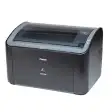
Free driver for the Canon LB2900B printer line

Essential drivers for HP LaserJet 1020 printers
Comprehensive Printing and Scanning Utility

Simple document tasks made easier
Trial version
Automated multi-destination printing for complex office workflows
Trial version
Fit webpages on to one sheet when printing
Trial version
Manage print jobs more effectively across a network

Trial version
Quick and easy utility for printing PRN files in a Windows printer

Trial version
Free batch printing software for personal computers
Free
A free Software utilities program for Windows