
4.7
Free
AI Photo Editor - AI Enhancer
AI Photo Editor - AI Enhancer Review
 MemorialApps
Safe & trusted downloads
The best software, verified by experts

AI Photo Lab blends portrait art and practical editing
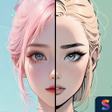
Transforms ordinary photos into stylized portraits, removes unwanted objects, and swaps backgrounds using AI-driven generation and editing in the same workflow. AI Photo Lab: Generate & Edit, from BaseGroup, pairs one-tap tools with manual controls for portrait retouching and background replacement. Key functions include portrait generation, object removal, Auto Enhance, and face retouching. The app fits social media creators and photography enthusiasts who want quick, creative results on Android devices.
The app combines image generation with portrait retouching, letting users upload photos and produce stylized results via the AI Portrait Magic feature and AI Styles & Themes. It also includes face retouching tools that smooth skin and brighten tones, so creators can move from generated art to final polish without exporting to another editor. This pairing targets users who want both creative transformations and finished portraits in one place.
Built for Android devices that support AI workloads, the tool runs its AI-intensive features on a modern Android operating system, as required for generation and background swaps. The app delivers immediate export-ready images after edits and supports standard photo workflows on mobile, which matches the needs of users who edit directly on a device rather than a desktop workstation.
One-tap Auto Enhance and single-action background replacement lower the entry barrier, while brushes and lasso selections enable manual object removal for more precise cleanup. Regular updates add new styles and improved models, which the developer issues to expand creative options; this keeps the tool usable for people who prefer preset-driven approaches as well as those who spend time on selective edits.
Outputs aim for high-quality style transfers that retain subject integrity, according to the app's stated strengths, and Auto Enhance adjusts lighting, sharpness, and color balance in one step. Although the app is free to download, it may include advertisements or optional in-app purchases, a behavioural consideration for creators managing interruptions during editing. The developer's portfolio presence signals ongoing development and style additions.
The app is a practical pick for social creators and hobbyist photographers who want rapid AI-driven portrait art plus standard editing controls. Although in-app interruptions may interrupt some sessions, the blend of generation, object removal, and retouching makes it a useful tool for producing shareable images and stylized portraits on-device.
AI Photo Lab: Generate Edit for Android

A powerful free tool for video professionals

AI-powered photo editing software

Advanced camera controls for mobile photography

Trendy presets for editing photos and videos

Lightroom-inspired media editor
Free
AI Photo Editor - AI Enhancer Review

Free
AI Styler- AI Art Photo Editor

Free
Comprehensive AI Photo Editing Tool

Free
Enhance Your AI Photo Editing with PromptBox
Free
Effortless AI Prompt Generation for Photo Editing

Free
AI Headshot - AI Portrait: Professional Photo Editing Made Easy

Illuminate Your Selfies with Ring Light Cam
Stylish 3D Name Art Maker for Android

Hohem Pro - The Ultimate Video Shooting App

A free program for Android, by FUJIFILM AUSTRALIA PTY LTD.

Men Police Suit - AI Photo Editor
Transform Your Photos with AI Photo Editor

Men Hairstyles Photo Editor: Find Your Perfect Look

Kreativik - Professional Art Photography App
Transform Your Photos with Tattoo Maker

Picuki - IG Viewer Anonymously

A free app for Android, by Trionity.
Style Snap: Transform Your Photos into Anime Characters